Product details
ElimuTab ET06 Educational Tablet
The ElimuTab ET06 is an educational tablet model name, but I want to avoid giving you incorrect specifications for your DNG Electronics product listing. The ET04 Pro, ET04 Prime and ET05 Pro are different models, so their specifications should not automatically be applied to the ET06.
ElimuTab ET06 Educational Tablet
Overview of the ElimuTab ET06
The ElimuTab ET06 Educational Tablet is a child-focused Android tablet designed to support digital learning, schoolwork, creativity and supervised entertainment. Featuring a large 10.1-inch touchscreen, 3GB RAM and advertised 256GB storage, it provides a platform for children to access educational applications, digital books, learning videos and interactive exercises.
Designed for families in Kenya, the ElimuTab ET06 is marketed with learning resources for CBC, Cambridge, Montessori and 8-4-4 curriculum materials, depending on the supplied software and content configuration. These resources can help learners practise Mathematics, English, Kiswahili, Science and Technology, reading, writing and other school subjects.
The ET06 is available in different configurations, including a touch-pen version for drawing and handwriting practice and a keyboard version for typing assignments and completing schoolwork. This makes it suitable for different learning stages, from early learners developing writing skills to older pupils who need a more productive setup.
Its larger display offers more room for reading and interactive activities than smaller children’s tablets. Combined with parental control features, mobile connectivity on supported versions and a protective case, the ElimuTab ET06 is designed to help families introduce children to digital learning in a supervised environment.
Display and Viewing Experience
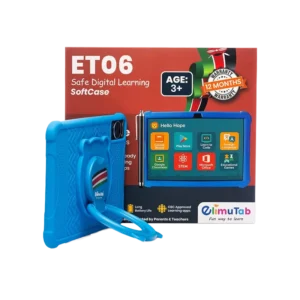
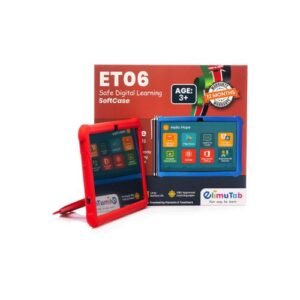
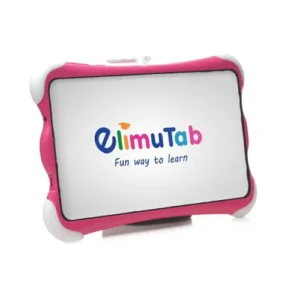
The ElimuTab ET06 features a 10.1-inch IPS touchscreen with a commonly listed resolution of 1280 × 800 pixels. The larger screen provides a comfortable viewing area for electronic books, digital textbooks, educational videos, online lessons and interactive exercises.
The IPS display is useful for reading and learning activities because it offers practical viewing angles when the screen is viewed from different positions. Parents can sit beside a child to help with exercises, while students can position the tablet on a desk or stand during lessons.
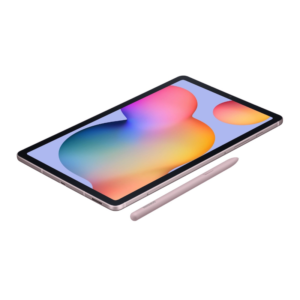
The touchscreen supports direct interaction with compatible applications. Children can tap answers, navigate lessons, draw pictures and use a compatible stylus for writing or tracing activities.
The 10.1-inch display is also useful for older learners who need to read longer passages, review documents or type assignments when using the keyboard version.
Display highlights include:
-
10.1-inch IPS touchscreen.
-
Commonly listed resolution of 1280 × 800 pixels.
-
Touch-based navigation.
-
Larger viewing area for educational materials.
-
Suitable for digital books and learning videos.
-
Supports stylus interaction on compatible versions.
-
Useful for reading, drawing, writing practice and schoolwork.
Performance and Android Software
The ElimuTab ET06 is an entry-level educational tablet designed for everyday learning activities rather than demanding gaming or professional computing. It is commonly advertised with a quad-core processor and 3GB RAM, providing basic performance for educational applications, web browsing, video playback and document access.
The Android-based software supports compatible applications for learning, communication and productivity. The installed Android version may differ between production batches and retail configurations.
With suitable applications, students can practise school subjects, access digital textbooks, complete quizzes and watch educational videos. Older learners can also use compatible word-processing applications, PDF readers and other tools for assignments.
The 3GB RAM configuration is intended for basic multitasking. For the best experience, users should avoid running too many demanding applications simultaneously and ensure that the installed applications are compatible with the device’s software.
Educational Content for Kenyan Learners
One of the main attractions of the ElimuTab ET06 is its educational focus. It is marketed with curriculum-related learning materials that can supplement classroom teaching and provide opportunities for revision at home.
Depending on the supplied content, children may access materials aligned with the Kenyan Competency-Based Curriculum (CBC), Cambridge resources, Montessori-style activities and 8-4-4 learning materials. Exact availability depends on the installed learning platform and the content supplied with the tablet.
Educational activities can cover reading, writing, spelling, mathematics, science, social studies, language development and creative subjects. Older pupils may also benefit from digital textbooks, past examination papers and revision resources where included.
The tablet can support:
-
Literacy development: Letter recognition, phonics, reading comprehension and spelling practice.
-
Mathematics: Counting, number recognition, calculations and interactive exercises.
-
Language learning: English and Kiswahili reading and vocabulary activities.
-
Science learning: Educational videos and introductory science topics.
-
Digital reading: Electronic books, course materials and revision notes.
-
Creative learning: Drawing, colouring and handwriting practice.
-
School revision: Quizzes, practice questions and curriculum-related content.
-
Digital skills: Learning to navigate applications and use basic productivity tools.
Educational content should complement, rather than replace, teacher guidance, printed materials and practical learning.
3GB RAM and 256GB Advertised Storage
The ElimuTab ET06 is commonly advertised with 3GB RAM and 256GB storage. This configuration provides working memory for basic applications and a large advertised capacity for digital learning materials, applications, documents and multimedia files.
The 3GB RAM supports everyday application use, while internal storage is used for the operating system, applications and personal files. The actual usable storage depends on the device’s hardware configuration and the space occupied by preinstalled software.
Some retail listings describe the 256GB capacity as internal storage, while other listings have inconsistent descriptions of expandable storage. Buyers should verify the actual built-in capacity on the specific unit rather than assuming every version has identical storage.
A microSD card slot is listed for compatible configurations, allowing additional storage for supported files. Downloaded books, lessons and videos can be especially useful for families who want children to study when internet access is unavailable.
Storage benefits include:
-
3GB RAM on commonly advertised configurations.
-
Advertised storage of up to 256GB, depending on the version.
-
microSD expansion on compatible units.
-
Space for educational applications and digital books.
-
Storage for assignments, PDFs and learning materials.
-
Support for offline content where applications permit downloads.
Touch-Pen Version for Writing and Creativity
The ElimuTab ET06 touch-pen version is designed for younger learners who benefit from writing, tracing, drawing and creative activities on a touchscreen.
A compatible stylus allows children to interact with suitable applications more precisely than using their fingers alone. This can be useful for practising letter shapes, tracing numbers, drawing pictures and completing digital worksheets.
The larger 10.1-inch display provides space for drawing and handwriting exercises. Children can also use compatible creative applications for colouring, simple illustrations and other age-appropriate projects.
For parents, the touch-pen configuration provides an alternative to relying exclusively on videos or passive screen time. With appropriate learning applications, the tablet can be used for interactive exercises that require children to respond, draw or write.
Keyboard Version for Schoolwork
The ElimuTab ET06 keyboard version is intended for learners who need to type assignments, notes and other schoolwork. When used with its compatible keyboard, the tablet can provide a more laptop-like experience for basic productivity.
A physical keyboard is useful for practising typing, writing longer answers, preparing school assignments and working with compatible document applications. Students can also use supported applications to read PDFs, organise notes and access online learning platforms.
The keyboard version is particularly useful for older primary-school learners and students who regularly need to type. However, it remains an entry-level tablet and should not be treated as a full replacement for a more powerful laptop when demanding software is required.
The keyboard configuration may also include a stylus and protective case, depending on the package supplied.
Parental Controls and Child Safety
The ElimuTab ET06 is marketed with parental control features intended to help parents manage children’s use of digital devices. Depending on the installed software, these features may include application restrictions, screen-time limits, content filtering and usage monitoring.
Parents can use available controls to prioritise learning applications and reduce access to unsuitable content. Some versions also support child profiles or grade-based content settings.
Parental supervision remains important, particularly when the tablet is connected to the internet. Adults should review installed applications, manage permissions and establish clear rules around screen time.
Recommended practices include:
-
Set age-appropriate daily screen-time limits.
-
Select learning applications suited to the child’s grade.
-
Supervise online browsing and video content.
-
Review application permissions and updates.
-
Encourage regular breaks from the screen.
-
Balance digital learning with reading, outdoor play and practical activities.
Connectivity and Internet Access
The ElimuTab ET06 is commonly advertised with Wi-Fi and SIM-based mobile connectivity, including 4G LTE support on relevant versions. This allows students to access online learning resources at home, school or other locations with suitable network coverage.
Wi-Fi connectivity can be used with home or school networks. A compatible SIM-enabled version can connect to mobile data when Wi-Fi is unavailable, which may be helpful for online classes and downloading learning resources.
Bluetooth is also listed on common configurations, supporting compatible wireless accessories. Actual connectivity options depend on the particular unit.
For families with limited mobile data, downloading compatible lessons and electronic books in advance can reduce data consumption and provide access to selected materials offline.
Connectivity features include:
-
Wi-Fi connectivity.
-
SIM support on compatible versions.
-
4G LTE on supported configurations.
-
Bluetooth connectivity.
-
Internet access for online lessons and educational applications.
-
Offline access to downloaded materials where supported.
Battery Life and Everyday Use
The ElimuTab ET06 is commonly advertised with a 5000mAh battery, providing capacity for everyday educational activities, reading and multimedia use. Actual battery life depends on screen brightness, Wi-Fi or mobile data activity, video playback and the applications being used.
The larger screen is suitable for extended reading and guided lessons, but continuous video streaming and active mobile connectivity can consume battery power more quickly.
Parents can help manage battery usage by lowering brightness to a comfortable level, downloading suitable content for offline use and closing unnecessary applications.
The tablet is intended for everyday learning and basic entertainment. Younger children should be supervised while charging the device and should avoid handling charging cables roughly.
Child-Friendly Design and Accessories
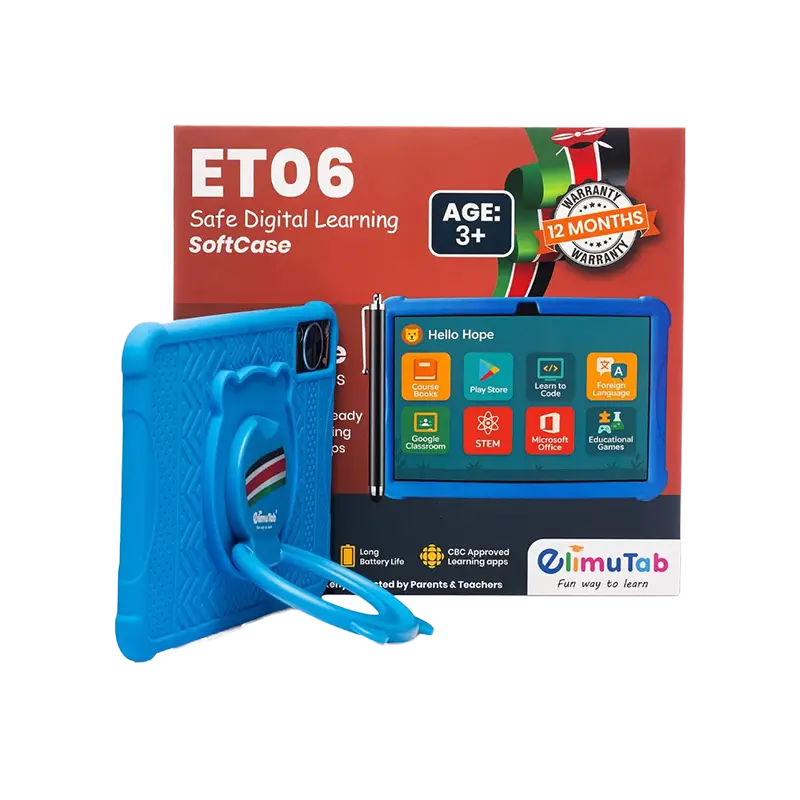
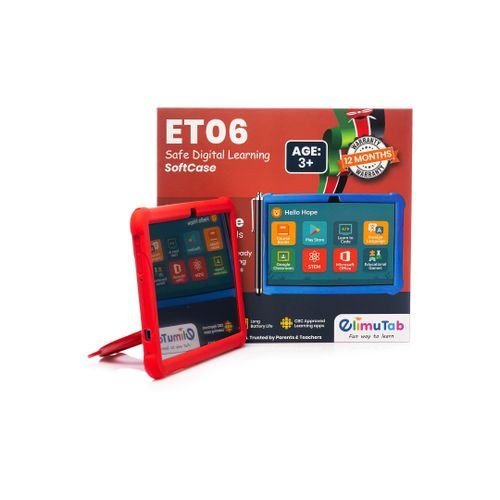
The ElimuTab ET06 is commonly supplied with a protective case designed to help shield the tablet from minor knocks and everyday handling. Some configurations offer a stylus, while the keyboard version includes a compatible keyboard.
These accessories make the tablet adaptable to different learning activities. The touch-pen configuration is useful for drawing and handwriting practice, while the keyboard configuration supports typing and assignments.
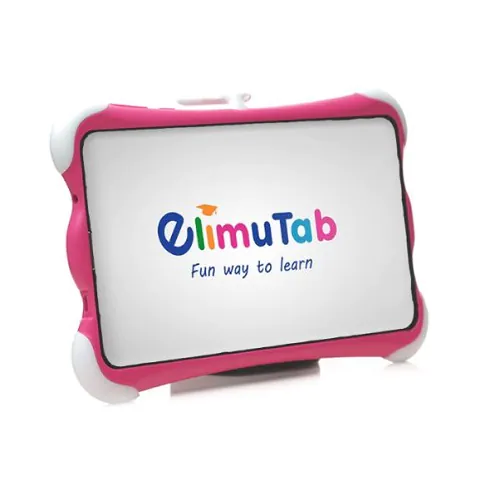
Colour options commonly listed include blue, pink and red, although availability varies by seller and stock.
The protective case can provide additional grip and help reduce the risk of minor damage, but it does not make the tablet indestructible or waterproof.
Key Features of the ElimuTab ET06
-
10.1-inch IPS touchscreen.
-
Commonly listed 1280 × 800 resolution.
-
3GB RAM on commonly advertised versions.
-
Advertised storage up to 256GB, depending on configuration.
-
Android-based operating system.
-
Quad-core processor on commonly listed versions.
-
Wi-Fi and SIM connectivity on supported units.
-
4G LTE support on compatible configurations.
-
Parental controls and child-safety features, depending on installed software.
-
Curriculum-related learning resources on supplied versions.
-
Touch-pen version for handwriting and drawing activities.
-
Keyboard version for typing and assignments.
-
Protective case commonly supplied.
-
5000mAh battery on commonly advertised configurations.
-
Suitable for digital reading, revision and supervised entertainment.
ElimuTab ET06 Specifications
-
Brand: ElimuTab
-
Model: ET06
-
Product type: Educational Android tablet
-
Display size: 10.1 inches
-
Display technology: IPS LCD
-
Display resolution: Commonly listed as 1280 × 800 pixels
-
Processor: Quad-core, exact chipset varies by listing
-
RAM: 3GB on commonly advertised configurations
-
Storage: Advertised up to 256GB, depending on configuration
-
Expandable storage: microSD support on compatible versions
-
Operating system: Android; version varies by unit
-
Rear camera: Basic camera; exact resolution varies by listing
-
Front camera: Basic camera; exact resolution varies by listing
-
Battery capacity: 5000mAh on commonly advertised versions
-
Connectivity: Wi-Fi, Bluetooth and SIM support on compatible versions
-
Mobile network: 4G LTE on supported configurations
-
Parental controls: Available through supported software
-
Educational content: CBC, Cambridge, Montessori and 8-4-4 resources where included
-
Available versions: Touch-pen version and keyboard version
-
Accessories: Protective case, with stylus or keyboard depending on configuration
-
Colours: Commonly listed in blue, pink and red
Who Should Buy the ElimuTab ET06?
The ElimuTab ET06 is suitable for families looking for a learning-focused tablet for school-age children. Its 10.1-inch display provides room for reading, revision and interactive lessons, while the available touch-pen and keyboard configurations serve different educational needs.
Younger children may benefit from the touch-pen version for drawing and handwriting practice. Older pupils can use the keyboard version for typing assignments, preparing notes and accessing online learning resources.
The ET06 is best suited to educational applications, digital reading, web browsing and basic productivity. Before purchasing, the exact storage capacity, Android version, network compatibility and included accessories should be checked against the specific unit.
Conclusion
The ElimuTab ET06 Educational Tablet combines a large touchscreen, learning-focused software, parental supervision features and flexible accessory options for children’s digital education. Its touch-pen version supports creative activities and handwriting practice, while the keyboard version offers greater convenience for typing assignments and schoolwork.
For Kenyan families seeking a tablet to supplement classroom learning, support revision and introduce children to digital skills, the ElimuTab ET06 offers a practical educational option.
DNG ELECTRONICS
Shop Address: Sanlam House, along Standard Street, Basement Shop 5A, Nairobi, Kenya.
Contact: +254117074301